
Cricbet99 Deposits and Withdrawals — Payment Methods in India
Cricbet99 processes all transactions in Indian Rupees (INR). You do not pay currency conversion fees. The platform uses a unified wallet, meaning the money you deposit for sports betting is instantly available for the casino and the betting exchange.
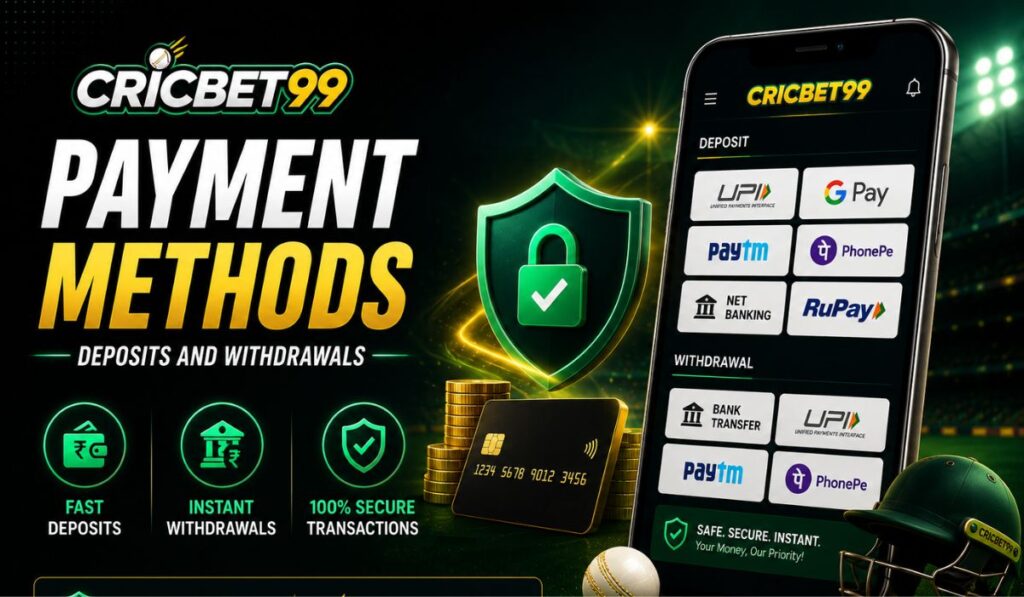
Deposit Methods and Limits
The platform supports the most popular local payment gateways alongside cryptocurrency. Deposits are generally instant, letting you place bets or join live tables immediately. The minimum deposit is set at ₹100, keeping the barrier to entry low.
| Payment Method | Min Deposit | Max Deposit | Processing Time | Fees |
|---|---|---|---|---|
| UPI GPay, PhonePe, Paytm | ₹100 | ₹100,000 | Instant | None |
| IMPS / Net Banking Direct bank transfer | ₹500 | ₹500,000 | 1–15 mins | Bank charges may apply |
| Cryptocurrency USDT, BTC | ₹1,000 equiv. | Unlimited | 5–30 mins | Network fees |
How to Make a Deposit
Funding your account takes less than a minute.
- Log in to your Cricbet99 account on the app or mobile browser.
- Tap the ‘Deposit’ button on the main dashboard.
- Choose your preferred payment method.
- Enter the amount you want to add (minimum ₹100 for UPI).
- Confirm the transaction in your banking or UPI app.
Depositing via UPI
UPI is the fastest and most reliable option for Indian players. When you select UPI, Cricbet99 will either show a QR code to scan or ask for your UPI ID (e.g., yourname@ybl). Once you approve the mandate in your PhonePe, Google Pay, or Paytm app using your PIN, the money transfers instantly.
If you use Net Banking or IMPS, the site redirects you to your bank’s secure login page. You authorise the transfer directly through your bank’s interface.
Withdrawal Methods and Processing Times
Withdrawals have stricter rules than deposits to prevent fraud and money laundering. Cricbet99 requires you to withdraw funds using the same method you used to deposit.
| Payment Method | Min Withdrawal | Max Withdrawal | Processing Time | Fees |
|---|---|---|---|---|
| UPI Direct UPI withdrawal | ₹500 | ₹100,000 | 1–24 hours | None |
| Bank Transfer IMPS / NEFT | ₹1,000 | ₹500,000 | 24–48 hours | None |
| Cryptocurrency Digital asset withdrawal | ₹2,000 equiv. | Unlimited | 1–2 hours | Network fees |
How to Withdraw Your Winnings
- Go to your account dashboard and select ‘Withdraw’.
- Pick a payment method.
- Enter the amount you want to cash out.
- Provide your UPI ID or bank account details.
- Submit the request.
The Closed-Loop Policy
If you deposited via a specific PhonePe UPI ID, your withdrawal must go back to that exact UPI ID. This is a standard anti-money laundering (AML) rule enforced across the industry. It stops third parties from using stolen credit cards to deposit and then cashing out to a different bank account.
If your original deposit method is no longer available or you closed that bank account, contact live chat. The support team will ask for proof of account closure and arrange an alternative bank transfer.
Account Verification (KYC)
You cannot process your first withdrawal without completing Know Your Customer (KYC) checks. This proves you are over 18 and the rightful owner of the account and payment method. Do this immediately after registering so your first payout is not delayed.
You will need to upload clear photos of the following documents in the ‘Verification’ tab of your profile:
- Identity: PAN Card, Aadhaar Card, or Passport.
- Address: A utility bill or bank statement (less than 3 months old) if the address on your ID is outdated.
- Payment Proof: A screenshot of your UPI app or a bank statement showing your name and account number.
Approval usually takes 12 to 24 hours. If a document is rejected, the system will tell you why. Blurry photos, cropped edges, or expired IDs are the most common reasons for rejection.
Troubleshooting Payment Issues
Most transactions go through without a hitch. When they fail, it usually comes down to network congestion or incorrect details.
- Deposit not showing: UPI networks sometimes experience congestion. Wait 15 minutes. If the money left your bank but is not in Cricbet99, contact support with your UTR (Unique Transaction Reference) number.
- Withdrawal rejected: This usually happens if your KYC is incomplete, if you entered the wrong UPI ID, or if you have an active bonus with unmet wagering requirements.
- Bank blocking the transfer: Some Indian banks flag gambling-related transactions. If your deposit fails, try a different UPI app or switch to IMPS.
- Withdrawal stuck on ‘Pending’: The finance team manually reviews withdrawal requests. If it has been over 24 hours, check if your KYC documents were approved. If they are, contact live chat with your withdrawal ID.
Payment Security
Cricbet99 does not store your full bank account passwords or UPI PINs. All transactions are routed through secure, encrypted payment gateways.
The site uses 256-bit SSL encryption to protect data in transit. Two-Factor Authentication (2FA) via OTP is required when you add a new withdrawal bank account or change your registered mobile number. This ensures that even if someone guesses your password, they cannot redirect your winnings to their own bank account.
Payments FAQ
Is there a fee for depositing or withdrawing?
Cricbet99 does not charge fees for INR transactions. Your bank or UPI provider might apply standard network charges, but the betting site takes zero commission on your deposits or payouts.
Can I use someone else's bank account to deposit?
No. The name on your Cricbet99 account must exactly match the name on your bank account or UPI ID. Third-party deposits are rejected and can lead to account suspension.
What happens if I deposit with a bonus code but want to withdraw early?
If you claim a deposit bonus, the bonus funds and your real cash are locked until you meet the wagering requirements. If you request a withdrawal before clearing the rollover, you will forfeit the remaining bonus funds and any winnings generated from them.
Can I deposit in crypto and withdraw in INR?
Generally, no. The closed-loop policy requires crypto deposits to be withdrawn in crypto. If you want to cash out in INR via UPI, you should make your initial deposit using a UPI method.